
Marketplace Search Methods for Finding a Seller’s Relisted Product
The sudden deletion of an online product page does not necessarily indicate that the seller has permanently ceased offering the item. Merchants frequently create new listings, alter product option structures, adjust pricing, or restore pages after resolving platform policy compliance reviews.
However, locating a relisted product requires more than finding a similar product image. Buyers must verify that the new listing originates from the same legal business entity, matches exact hardware or option specifications, and operates under protected marketplace payment terms.
Historical Connection Recovery and Seller Identifier Sourcing
The fastest path to locating a deleted product depends on the buyer’s historical interaction with the original listing.
| Historical Interaction Stage | Primary Recovery Starting Point | Critical Identifier Data to Extract |
| Completed Purchase History | Platform order logs (e.g., Npay Payment History) | Legal business name, order number, exact model SKU |
| Merchant Inquiry History | Platform 1:1 message threads / TalkTalk logs | Merchant profile ID, previous chat context, quoted specs |
| Saved Listing Reference | Browser history, watchlist, or saved URL | Deleted URL string, model part number, physical specs |
| Unsaved Product Inspection | Packaging receipt or physical device label | Brand name, exact regional edition, EAN/UPC barcode |
Historical Order Records and Direct Platform Messaging Logs
For completed transactions on platforms like Naver Shopping, buyers can review past seller details through Npay Payment History. If direct contact proves difficult, utilizing platform-native 1:1 inquiry or TalkTalk messaging functions maintains a secure, timestamped communication log.
Storefront Brand Names versus Legal Business Entities
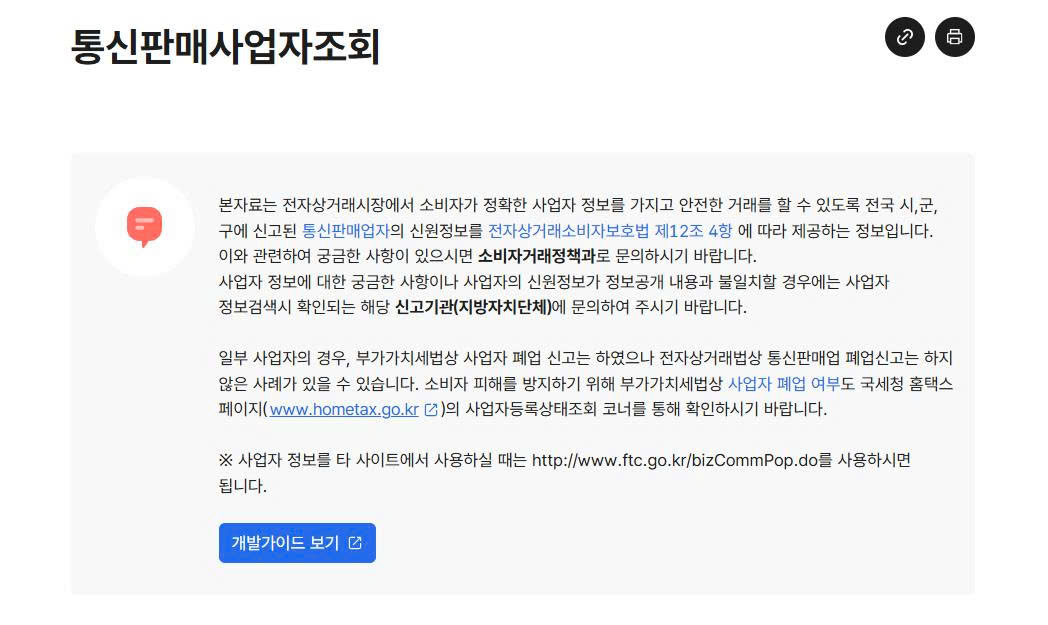
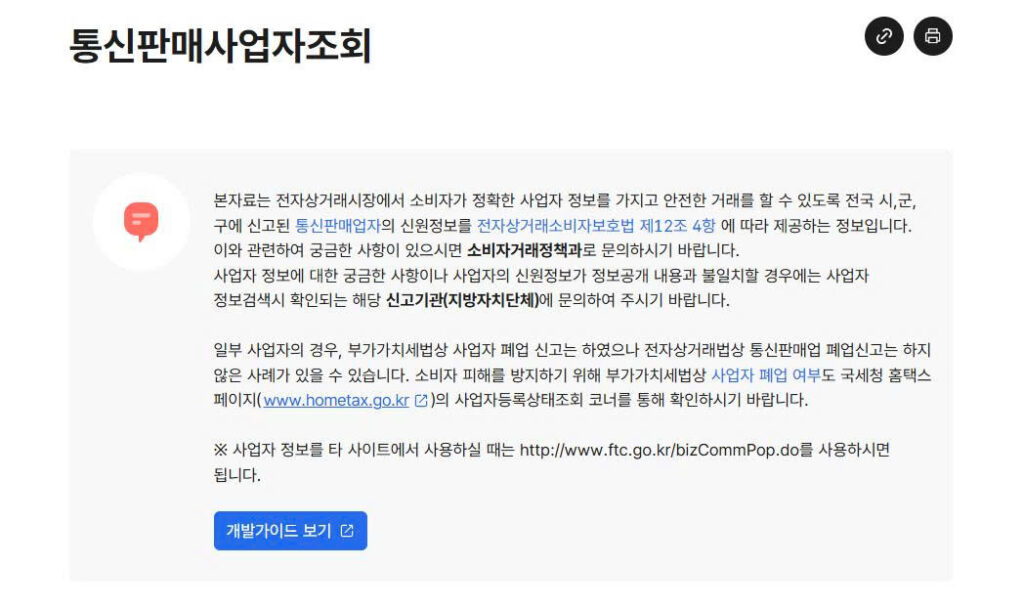
Buyers must separate a merchant’s public storefront brand name from its legal business registration details. While storefront names can be altered easily, business registration details (such as official business names, representative names, mail-order registration numbers, and physical business addresses) remain registered with municipal consumer protection agencies. Verifying legal business registration details ensures that a new listing belongs to the original merchant.
Dual Search Strategies Across Merchant Storefronts and Exact Product SKUs
Searching for a relisted product using broad descriptive keywords frequently yields identical copies from unrelated third-party sellers. Researchers should execute two independent search paths simultaneously.
The first path targets the specific merchant. Buyers should access the seller’s main storefront profile and filter active inventory by recently listed items. Searching within a verified merchant’s store catalog is far more accurate than executing platform-wide keyword searches.
The second path targets the exact product. Searches should utilize complete manufacturer part numbers, regional model codes, storage capacities, and specific color designations. While reverse image searches can identify pages utilizing identical product photography, image matches alone do not prove seller identity. Third-party stores routinely copy manufacturer marketing images, requiring independent verification of seller business credentials.
Re-evaluation Parameters for Relisted Items as Independent Offers
Even when a seller confirms that a product has been relisted, buyers must treat the new webpage as an entirely new commercial offer.
A relisted product page carries a new URL, unique item ID, updated stock sources, and potentially altered return policies. Before submitting payment for a relisted item, reviewing The Scope of Marketplace Buyer Protection and Seller-Provided Warranties for Refunds, Exchanges, and Repairs helps buyers distinguish between short-term platform transaction protections and long-term seller warranty obligations.
Prior to completing checkout on a relisted page, buyers must re-verify key terms:
- Exact Item Condition: Confirming whether the listing represents brand-new factory inventory, open-box stock, or refurbished items.
- Component Inclusions: Checking the “In the Box” manifest for included power adapters, regional cables, and original packaging.
- Total Delivered Cost: Verifying base product prices, local shipping fees, import tariffs, and mandatory add-on options.
- Return and Freight Terms: Confirming return filing deadlines, restocking fees, and freight fee liabilities for defective items.
For used or open-box goods, buyers should request actual current unit photography, serial numbers, and battery health reports through official chat channels rather than relying on generic stock photography.
Platform Messaging Security Protocols and Off-Gateway Fraud Prevention
Communicating with merchants strictly through official marketplace messaging systems (such as Naver TalkTalk or internal platform inquiry boards) ensures that all pre-purchase representations remain binding.
When a merchant provides a link to a relisted item, buyers must confirm that the link leads to an active listing within the protected marketplace environment. Buyers should be extremely cautious if a merchant claims that a special price is available exclusively through an external website link, private messaging app, or direct bank wire transfer.
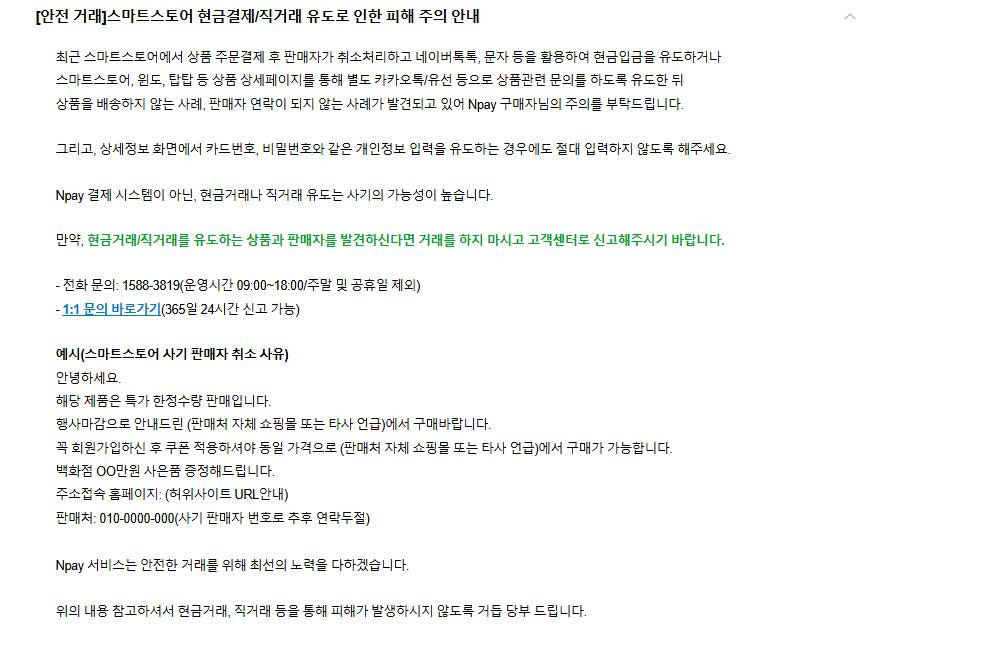
E-commerce platforms like Naver Pay explicitly warn consumers against sellers who cancel marketplace orders and attempt to redirect buyers toward off-platform cash deposits. Off-platform direct transactions revoke all platform buyer protections, leaving consumers with no recourse if the seller fails to ship the item or delivers counterfeit goods.
Marketplace Customer Support Escalations and Unverified Listing Rejections
If a legal business entity cannot be verified, or if a seller refuses to answer basic questions regarding model codes and return terms, buyers should terminate the transaction immediately.
If an unresolved transaction issue exists for a deleted page, buyers should escalate the case to official platform customer service (such as Npay Customer Support). Providing original order numbers, merchant business details, deleted URL strings, and screenshot records enables platform representatives to mediate disputes effectively. Selecting verified sellers operating within protected marketplace gateways remains the most reliable strategy for cross-border e-commerce shopping.